
1: Open the Zoom application on your laptop and go to the “Home” tab (the one with the house icon at the top). Then click “Open Recordings” in the lower section of the window, as shown in the picture. 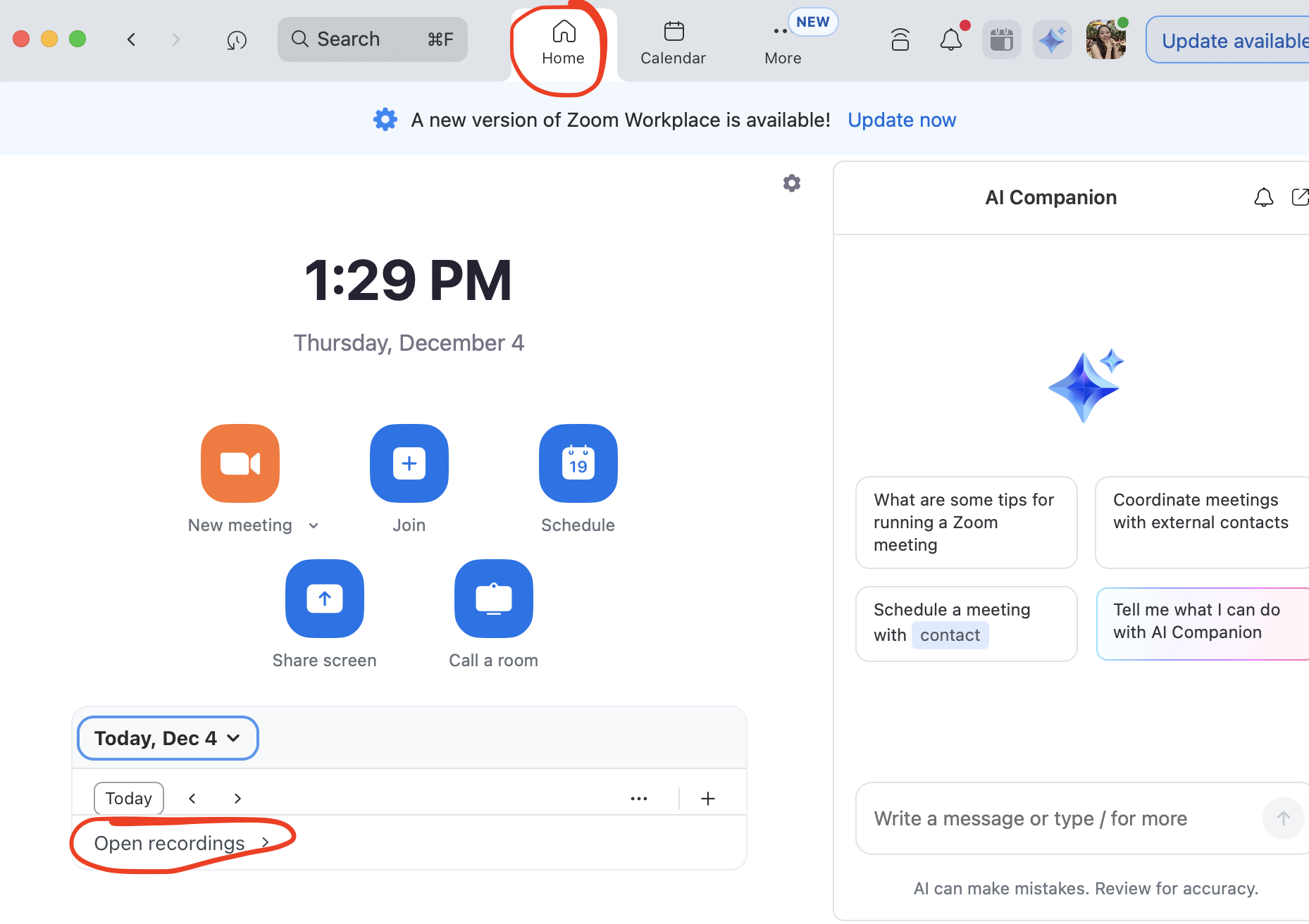
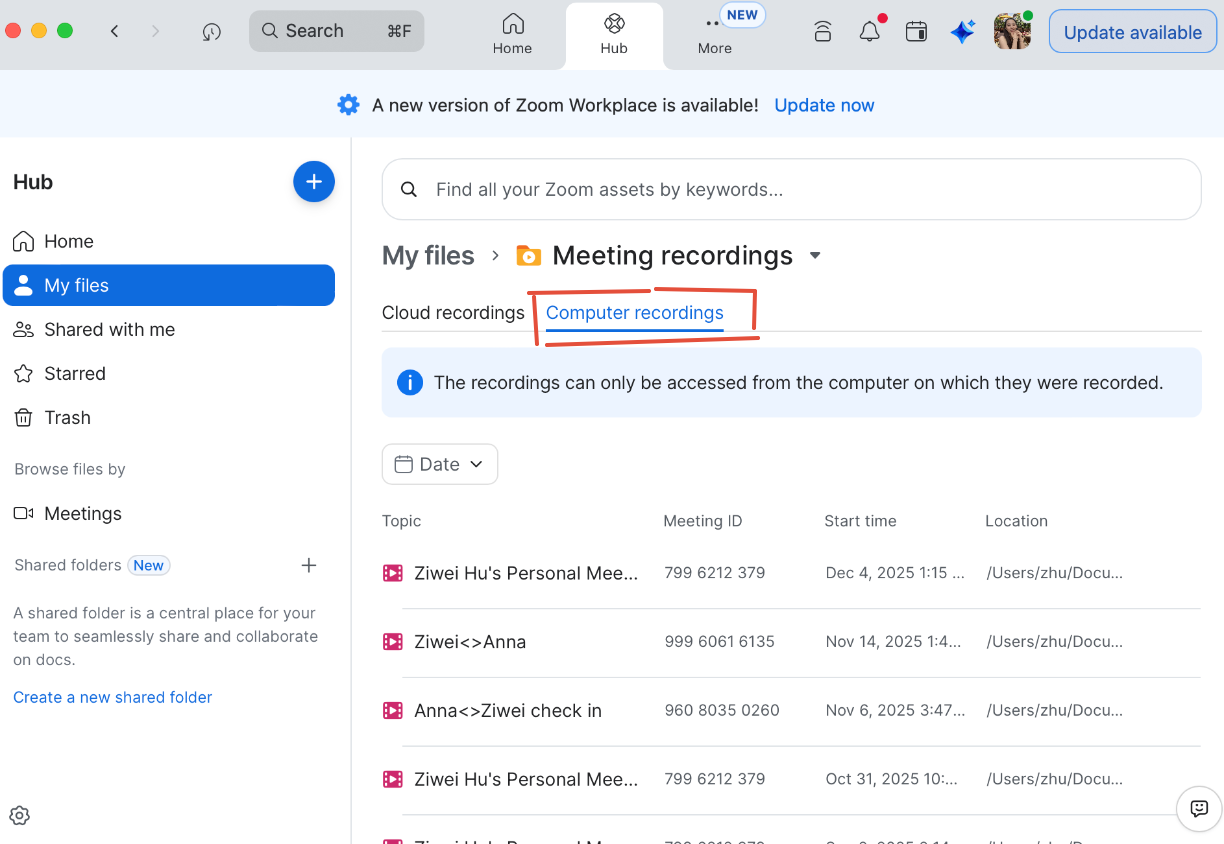
2. Then you will see the page below. Click "Computer recordings", you will be able to see list of recordings you have. Please note that the recordings can only be found from the laptop on which they were recorded.
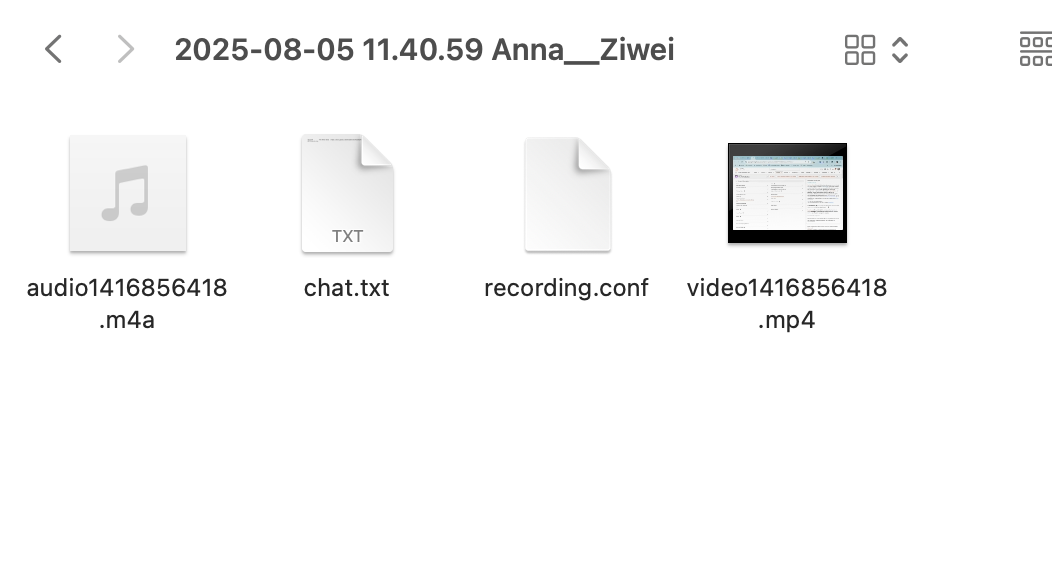
3. By clicking the three dots on the right side of a recording, you can view its file location. Once you click it, a file directory will open showing the folders where the files are stored. 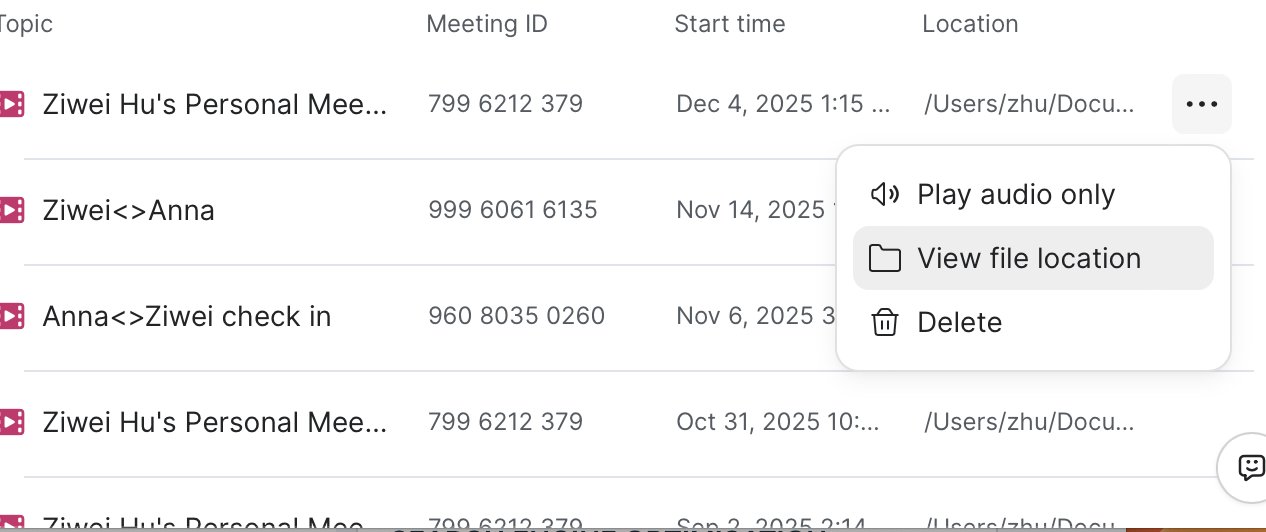
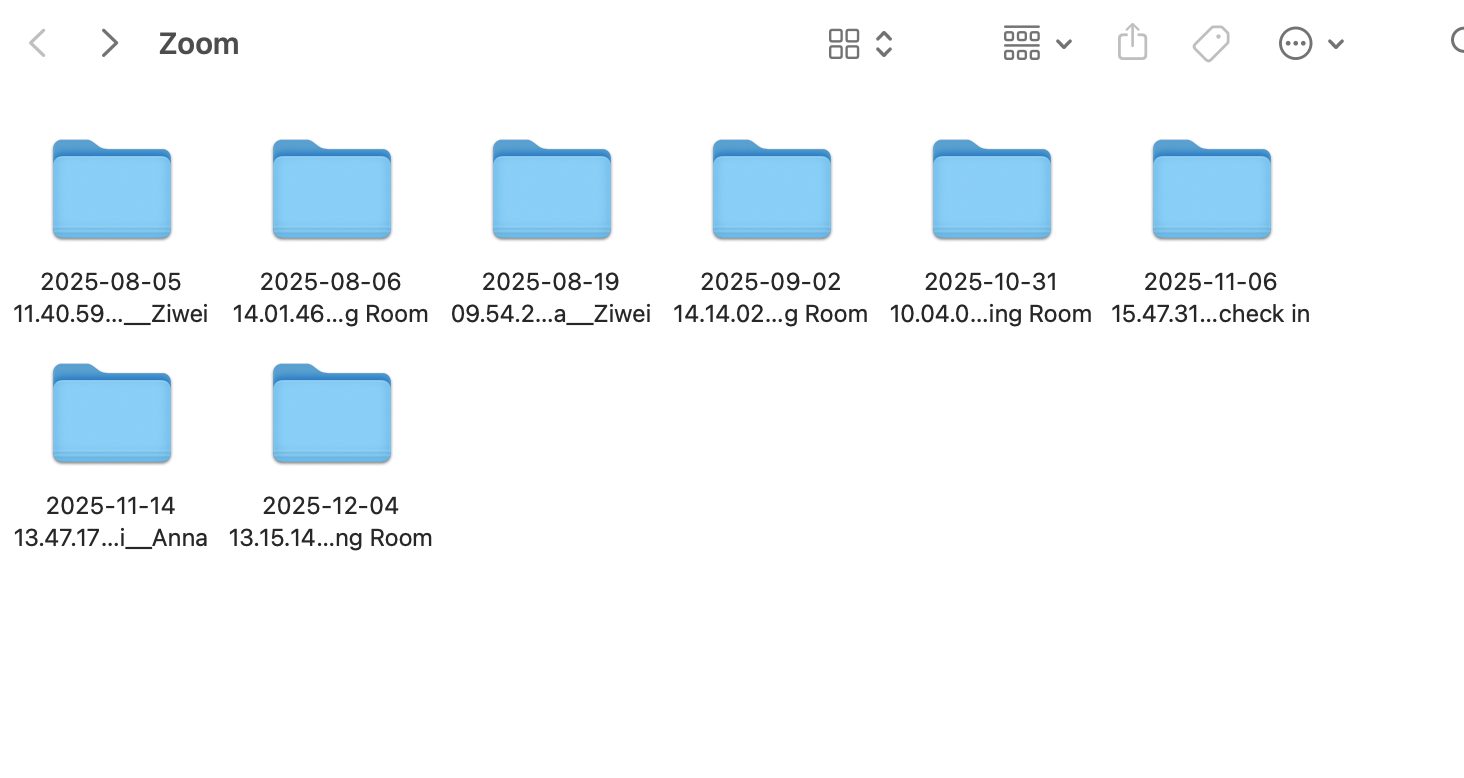
4. Inside those folders, you will find the separate audio, chat, and video files. (The recording.conf file is a JSON file that includes technical information about the meeting recording, such as pointing to the names and locations of the media files, and does not contain any meeting content. Please do not delete this file, as it serves as a pointer to the other files.)
FAQ:
1. Zoom recording storage location:
Cloud Recordings : On Zoom's servers, but governed by MIT. You can see it anywhere if you log into your Zoom account.
Local Recordings: Stored on the host's computer. You can only see it on the computer you recorded it on.
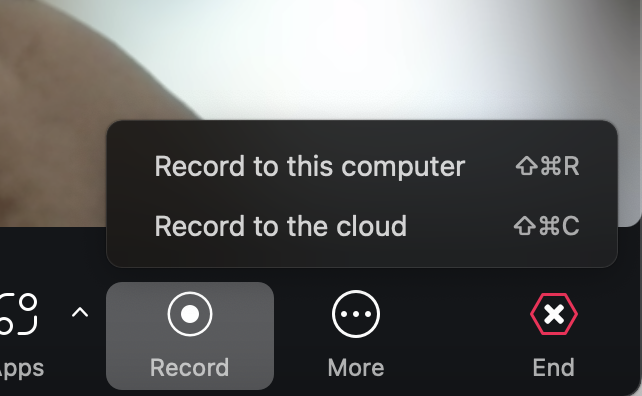
2. Are zoom recordings stored default stored in the cloud?
No, you can choose where to store it when you start recording:
3. Is there a way to turn that off, and only have local storage?
If you would like to change to "local only", contact the IS&T at jpal-global-ist-support@mit.edu. Please do not try to change the setting by yourself. Those settings are controlled at the MIT level.
Important: Any local recordings must be stored on MIT-approved encrypted devices and follow MIT data handling policies. For example, if you joined a meeting using your own laptop, you can not save your recordings locally. If you did by accident, please delete and reach out to the IS&T at jpal-global-ist-support@mit.edu.
4: If they are stored on the cloud, who has access to these recordings?
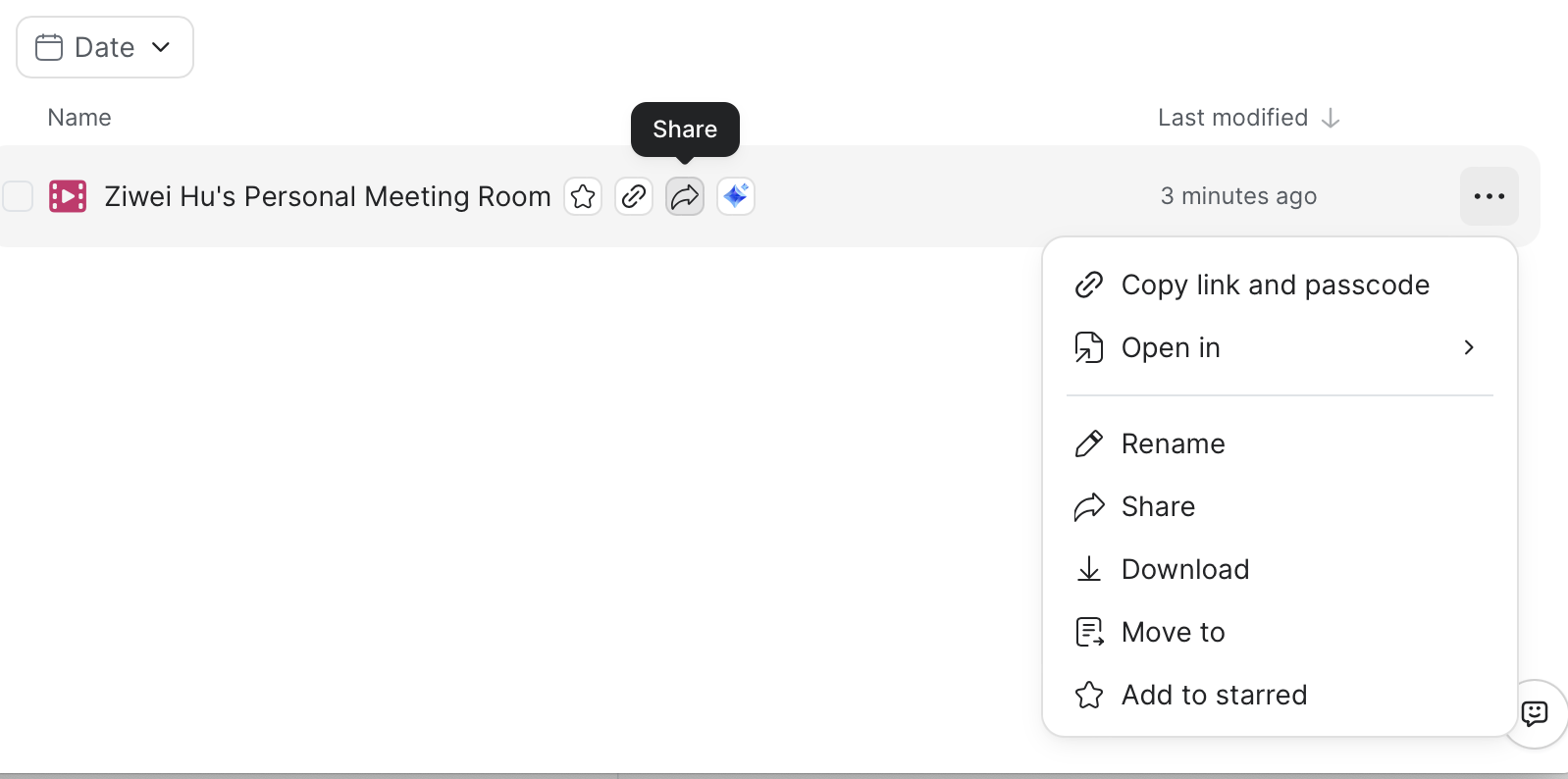
The host will have access to the recording. For example, if a guest request the host to record, the host need to confirm "start recording", then the recording will be saved into the host's cloud like shown in the picture below. From there, the Host can either "Copy link and passcode" to share it securely with specific individuals, or "Share" it openly without passcode protection.

5.What is the data security / protection around these recordings?
It's not allowed to dowload th
Encryption: AES-256 encryption at rest, TLS 1.2+ in transit
Authentication: MIT Touchstone/Kerberos required for access
Access Controls: Password protection, viewer authentication options
MIT Compliance: Aligns with MIT's Data Classification & Handling Policy
Monitoring: Access logs maintained per MIT policy
Legal Agreements: Zoom's contract with MIT includes specific data protection terms
Any local recordings must be stored on MIT-approved encrypted devices and follow MIT data handling policies. For example, if you joined a meeting using your own laptop, you can not save your recordings locally. If you did by accident, please delete and reach out to the IS&T at jpal-global-ist-support@mit.edu.
6: Do Zoom meeting recordings get automatically deleted after a certain time?
In progress - contacted IS&T
7. Where are Closed Captions & Live Meeting Transcripts (Zoom AI Tool) stored, and who has access to them? What's the data security around those data?
For Live meeting transcripts, they are showing on the screen temporarily unless you choose to save. (EA Diana uses Otter.ai to save live captions, and they are automatically saved as a transcript once a recording ends)
Similar to recordings, they are saved in the host's cloud or host's local computer depend on what did you choose when you start recording.
For data security information, those cloud saved information are accessible by account admins which is MIT in this case. MIT has policies requiring administrators to follow strict security protocols, and by law they are prohibited from accessing or viewing this information without authorization.
8.Do Closed Captions & Live Meeting Transcripts (Zoom AI Tool) automatically get deleted after a certain time?
They are tied to their associated recording. In progress -contacted IS&T
Additional informations: https://ist.mit.edu/zoom